How SalePilot works
Schedule a sale once in your Shopify admin. It starts, ends and reports back on its own: you set a start, an end and a time zone, prices change within about a minute of the start, and the exact originals come back at the end. Free for 1 sale a month; Pro is $9.99 a month.
Three steps in your Shopify admin
Schedule the sale
Add what’s discounted
Let it run
Check every price first
“See the price changes first” lists each variant’s old and new price before anything goes live.

What shoppers see
An optional countdown bar switches on with the sale and off when it ends.

What you see after
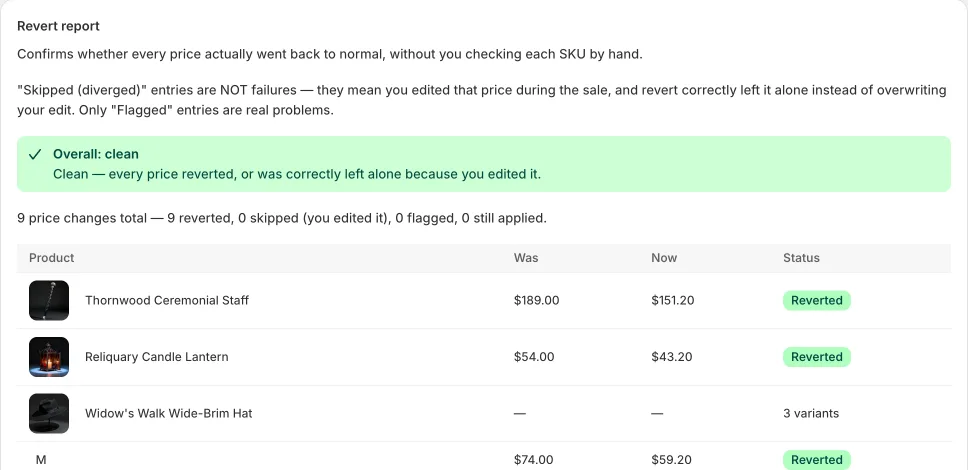
The revert report lists every price it changed, with Was, Now and Status.
Feel sales run THEMSELVES - claim 50% OFF: install SalePilot from the Shopify App Store
Installs free from the Shopify App Store · Pro: type EARLYBF50 on the plans page
Feel sales run THEMSELVES: install SalePilot from the Shopify App Store
Installs free from the Shopify App Store